
Getting started
Install it. Download the free trial and run the installer: it needs no administrator rights, and offers to start the game when it's done. The download page has the system requirements and how to check your download is genuine.
The first run. A short intro strikes the Neon Rain sign, then the main menu: PLAY, GARAGE, DRIVERS, TRACKS, REPLAYS, SETTINGS and QUIT. Keyboard, mouse or gamepad all work in every menu. Your first races show hints (when to boost, when to use the airbrakes, when to respawn) until you've got the hang of each.
The free trial races the first track of each championship, Liberty Loop in New York, Canyon Rapids in the Grand Canyon and Tranquility on the Moon, against the full grid, in every mode. The other twelve tracks can be looked at but not raced. Qualifying you earn in the trial is kept, so it counts once you unlock the full game.
Unlock the full game. Buy a key (a one-off purchase), then in the game open Settings › ABOUT › FULL GAME, press Enter, type or paste (Ctrl+V) your key and press Enter again, with the PC online. It says UNLOCKED and every track opens; after that the game never needs to be online to play. A key works on one PC at a time: entering it on another PC moves it there, and the first PC goes back to the trial the next time it starts online.
Lost your key? We'll email it again to the address you bought with.
From the Microsoft Store? Its copy has the same free trial, and no key: pick any track outside the trial and choose GET THE FULL GAME, or open Settings › ABOUT › FULL GAME and press Enter, and the Store's own window opens over the game. Once you've bought it every track opens, with no restart. If you bought the full game in the Store to begin with, it's unlocked from the first start.
Bought Neon Rain on Steam? That copy is the full game already, with no key to enter.
How to play
Every race starts the same way: PLAY on the main menu, then a mode, then a track. Here's what each mode is, how to start it and what it counts toward.


Single player
The heart of the game: race the field on any track you've unlocked. Finish high enough and you qualify for the next track up that championship's ladder, all the way to a one-on-one drag final for the title.
- PLAY › SINGLE PLAYER
- Pick a track with the arrows: a padlock means you haven't qualified for it yet, and FREE marks the free trial's three.
- START RACE. On a circuit, left and right first choose 1, 3 or 5 laps.
Counts for wins, qualifying, track records, your ghost, Garage unlocks and your record against each rival; in the full game on Steam, achievements and leaderboards too.
Life calls mid-race? SAVE & QUIT TO TITLE on the pause menu, and CONTINUE RACE on the main menu picks it up where you left off.
Time trial
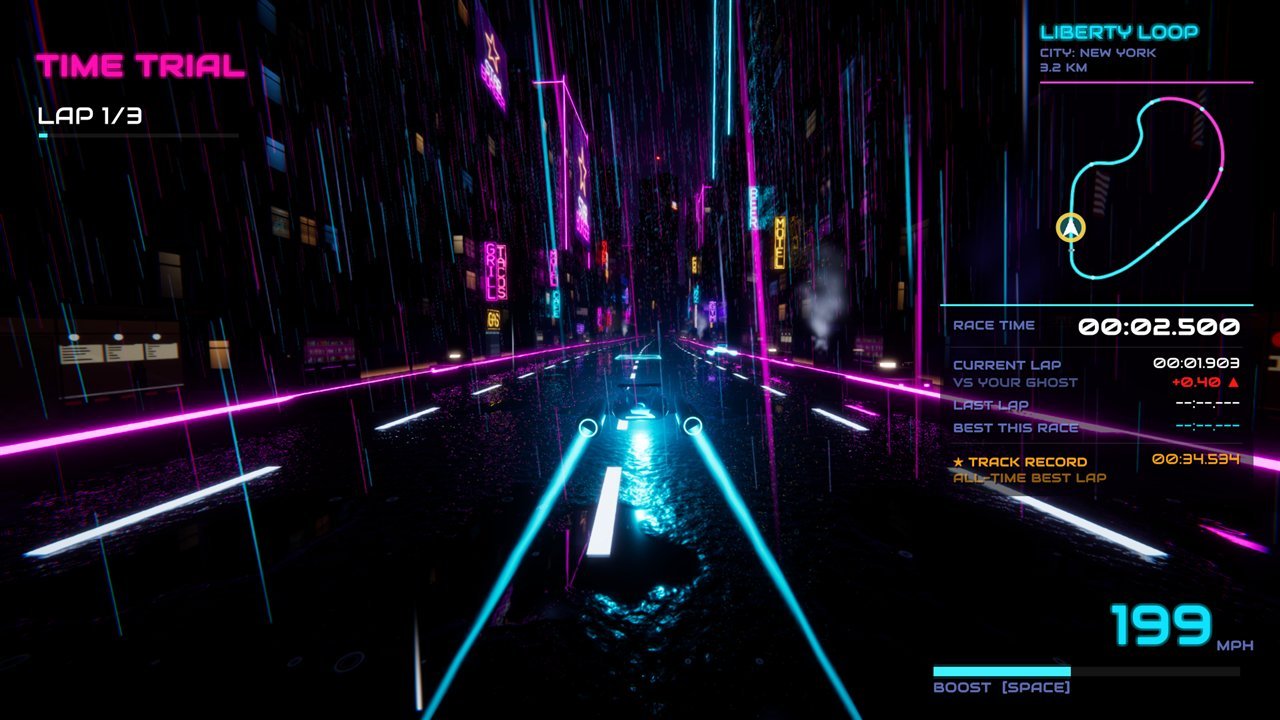
Any track you can race, alone on the grid, against the clock and the ghost of your best lap. No traffic, no excuses: the purest way to learn a track and shave tenths off your time.
- PLAY › SINGLE PLAYER TIME TRIAL
- Pick a track and the laps, then START RACE.
Counts for the track record, your ghost and, in the full game, the leaderboard. Not wins, qualifying or unlocks.
The ghost is explained, with pictures, in Settings below.
Two players (local)
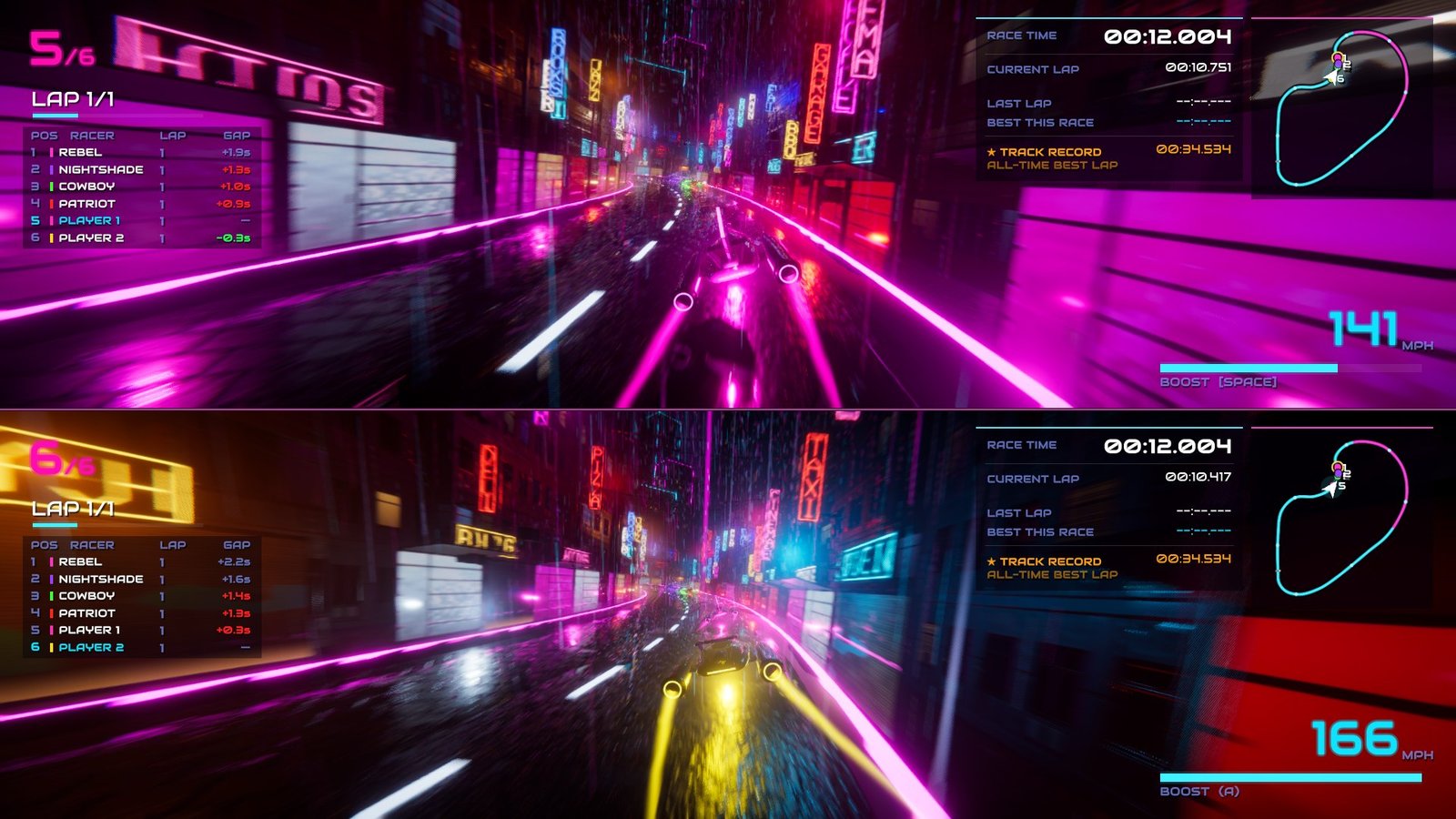
Race a friend side by side on one screen, player one across the top and player two (in yellow) across the bottom, each with their own camera, HUD and rumble, and the rivals racing you both.
- Plug in a pad for player two. Player one keeps the keyboard or takes a second pad; on a Steam Deck, player two needs a pad of their own.
- PLAY › 2 PLAYERS (LOCAL), pick a track, START RACE.
Counts for bragging rights only: the results say who beat whom, and nothing else is recorded.
The first one home pulls up, and the other has 30 seconds to finish. If a pad comes unplugged the race pauses until a pad is back.
Multiplayer (online / network)
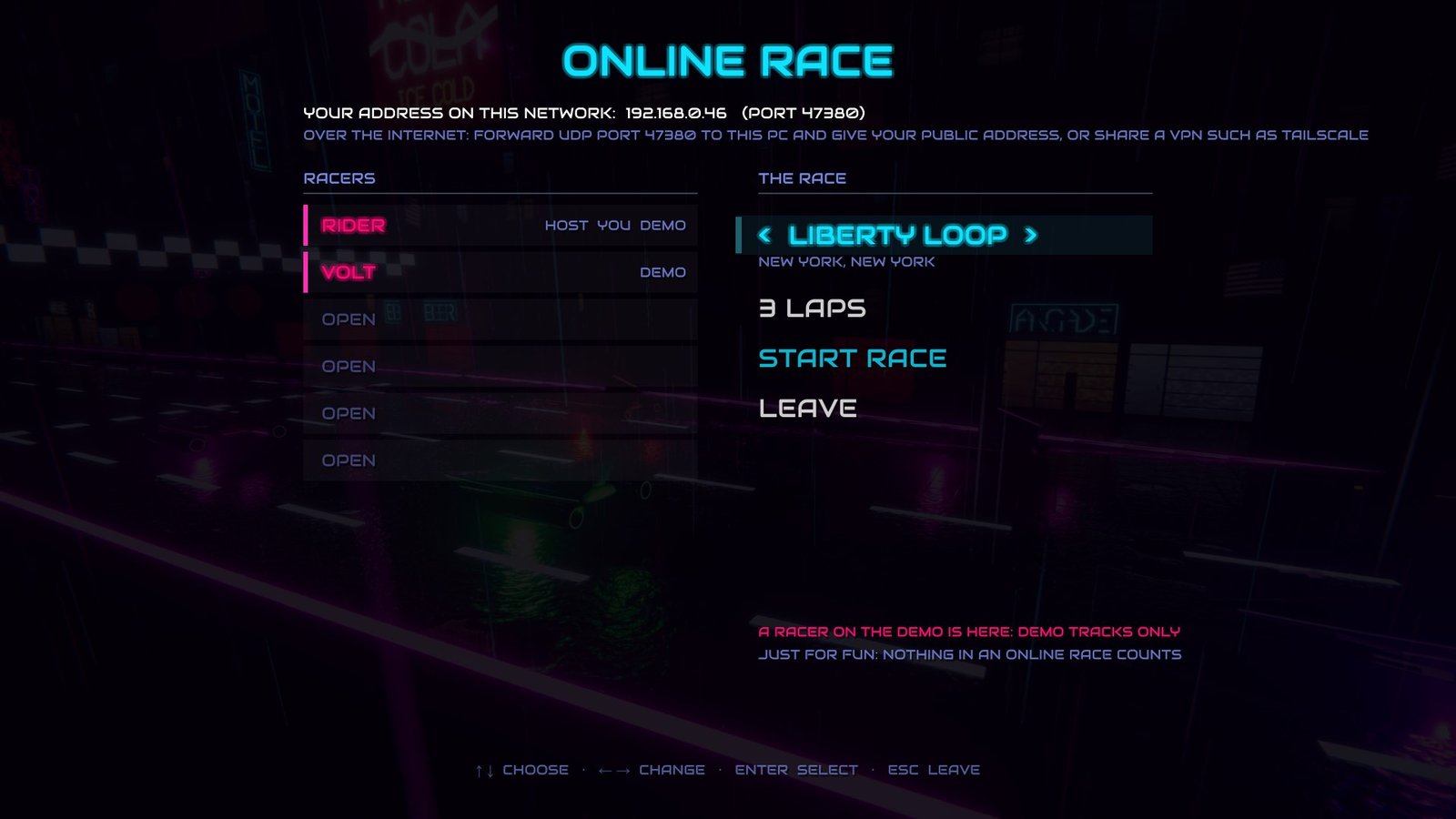
Race friends on other PCs, each in the craft from their own Garage, with rivals filling the rest of the grid. Set YOUR NAME on the online page so friends know who's who.
- To host: PLAY › MULTIPLAYER › HOST A RACE. Pick the track and laps in the lobby, and START when everyone's in.
- To join on the same network: the host's race shows up on the online page; pick it.
- To join over the internet: JOIN BY ADDRESS with the address the host's lobby shows. The host forwards UDP port 47380 on their router, or you all use a VPN such as Tailscale.
Counts for the race itself: like two players, it's just for fun.
If Windows Firewall blocks the host, the lobby says so and offers ALLOW THROUGH FIREWALL. Everyone needs the same version, and trial players can join races on the free trial's three tracks.
The Garage, replays and photo mode

GARAGE on the main menu picks your craft: its chassis, hull paint, engine glow and livery. The three chassis are trades, not upgrades: Balanced is the all-rounder, Interceptor has more top speed and boost but less grip, and Carver turns in sharper and grips harder but is a little slower flat out. Some colors unlock by racing (finish a race, win one, win on Hard, win a championship), and beating a rival five times adds their paint and glow. Your glow is yours on every track.
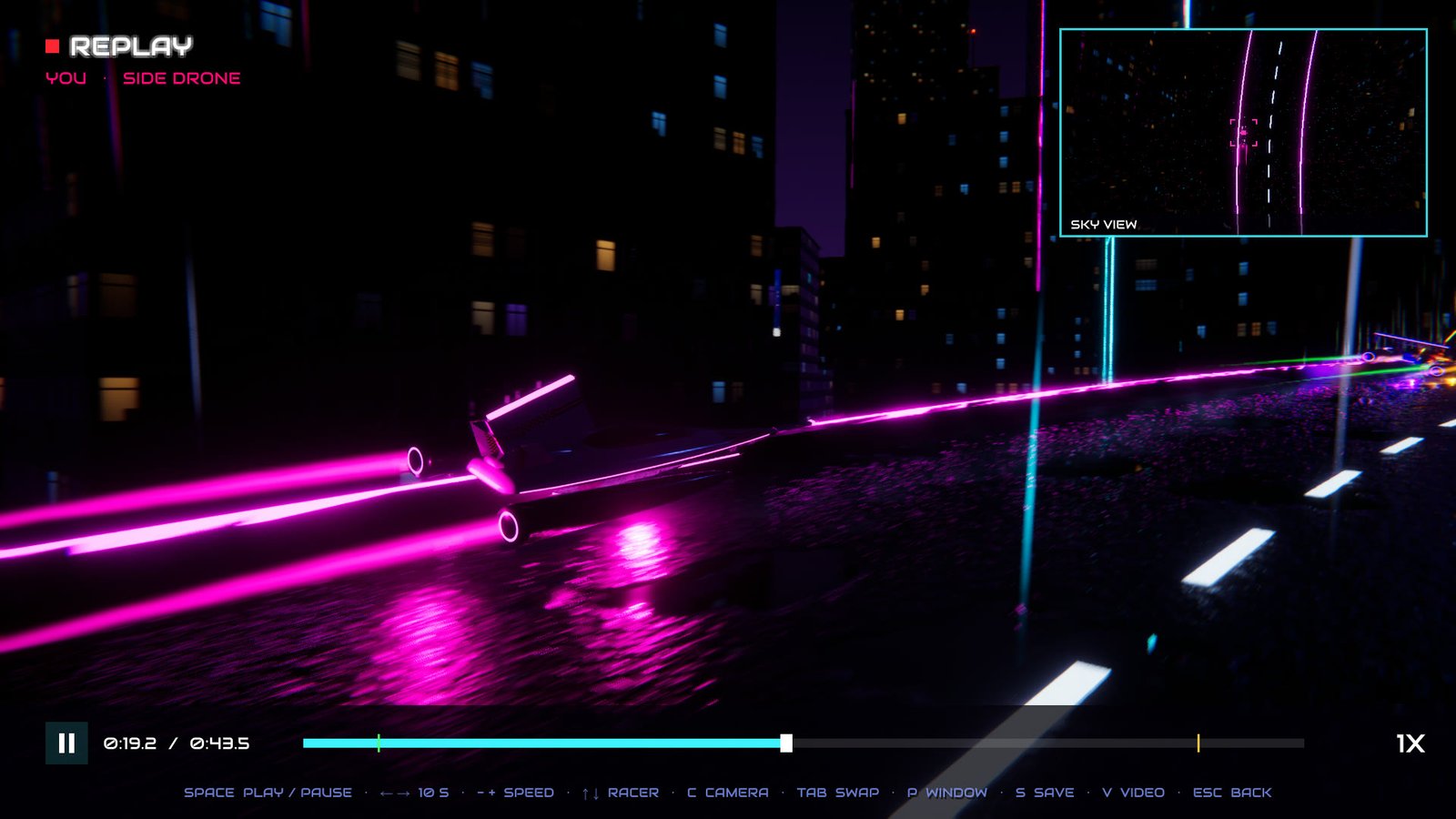
Replays. WATCH REPLAY on the results plays the race back: CAMERA changes the view, up and down pick the racer, and you can pause, scrub, skip 10 seconds and play from half to four times speed. SAVE (S, pad Y) keeps it for good, and VIDEO (V) writes it as a video to your Videos\Neon Rain folder. REPLAYS on the main menu lists your last race and the ones you saved.
Photo mode. Pause during a race and choose PHOTO MODE: the race freezes and you fly a free camera around your craft (W A S D or the left stick to move, the arrows, right mouse button or right stick to look). Enter (pad A) takes a photo, saved to Pictures\Neon Rain; the help on screen lists the rest.
The Drivers. DRIVERS on the main menu has each rival's story, driving style and your record against them. The one who has beaten you most becomes your NEMESIS.
Controls
Every key can be rebound in Settings › CONTROLS. Xbox and PlayStation pads and the Steam Deck work out of the box, and the prompts on screen name your pad's own buttons. The arrow keys always drive and Left Shift always boosts, whatever you rebind, and the mouse and the left stick work in every menu.
| Action | Keyboard | Gamepad |
|---|---|---|
| Thrust / Brake | W S | RT LT |
| Steer | A D | L-Stick |
| Airbrakes | Q E | LB RB |
| Boost | Space | A |
| Respawn | R | Y |
| Camera | C | X |
| Pause | Esc | Start |
Settings
What each setting does and when you might change it. Settings is on the main menu and the pause menu, every change takes effect right away, and the highlighted choice is where each one starts.
Ghost of your best
On Off
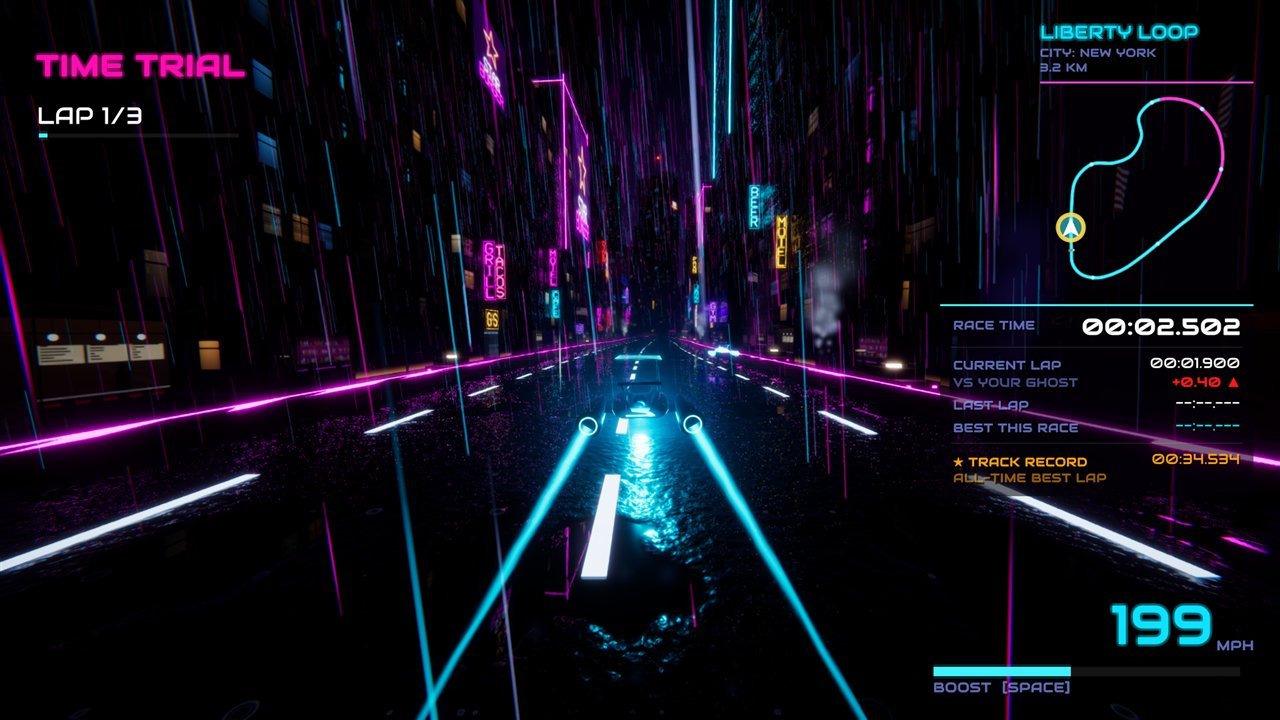
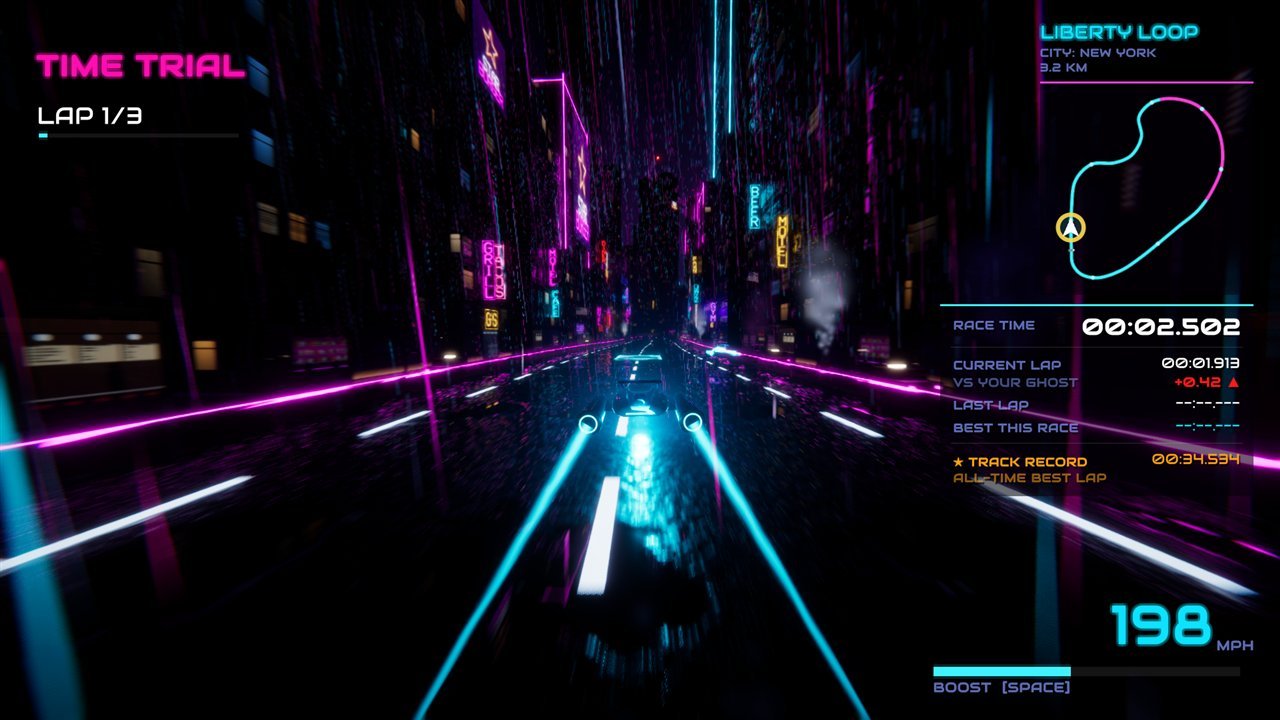
Every track keeps your best lap (on a point-to-point track, your best run from start to finish). With the ghost on, a see-through, glowing copy of your craft drives that lap beside you, in step with the lap you're on, so you can see exactly where you gain and where you lose. It can't touch you: you pass straight through it.
The timing card's VS YOUR GHOST line keeps score: +0.40 ▲ in red means 0.40 s behind your best, −0.40 ▼ in green means ahead. Beat it and that lap becomes your ghost next time.
Best in a time trial, where it's the only other craft on the road. There's no ghost in two-player or online races.
Your ghost
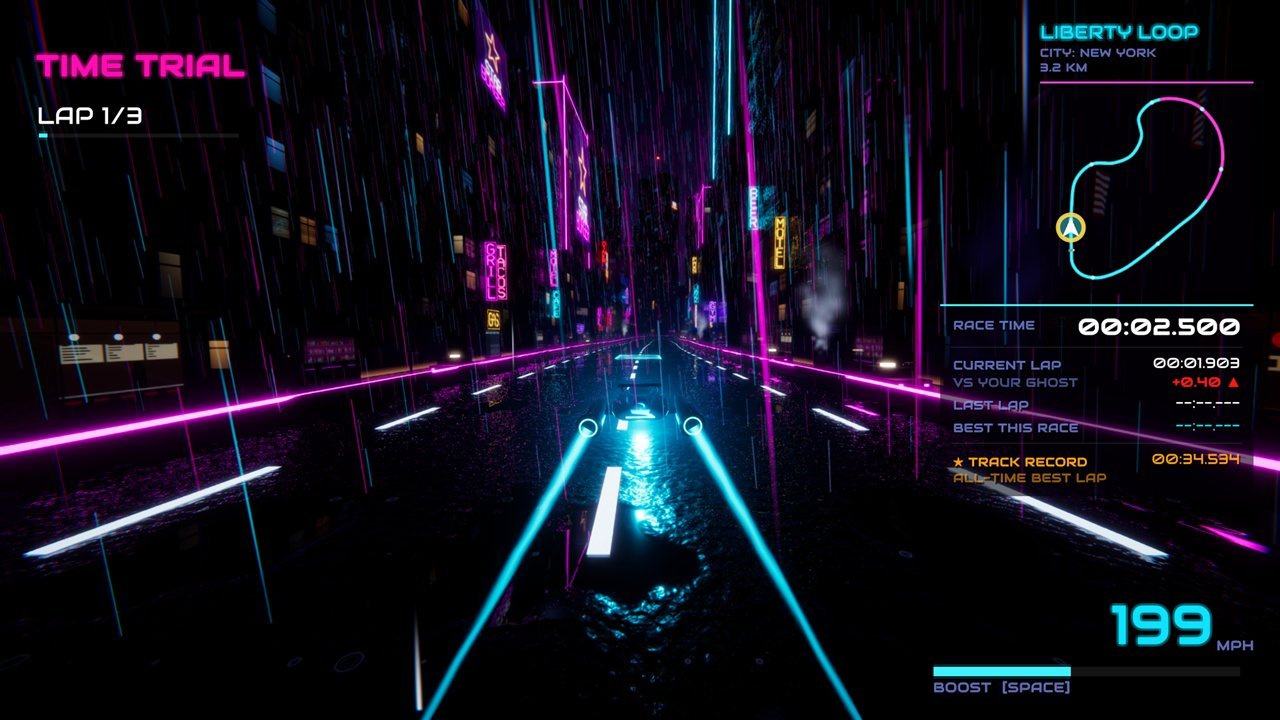
Race camera
Chase Drone Cockpit
Where you watch from. Chase rides close behind your craft. Drone flies high behind, so you see the bends and the pack well ahead. Cockpit puts you in the driver's seat, low over the canopy, for the strongest sense of speed.
Switch mid-race with C or the pad's X / ■, and the setting follows.
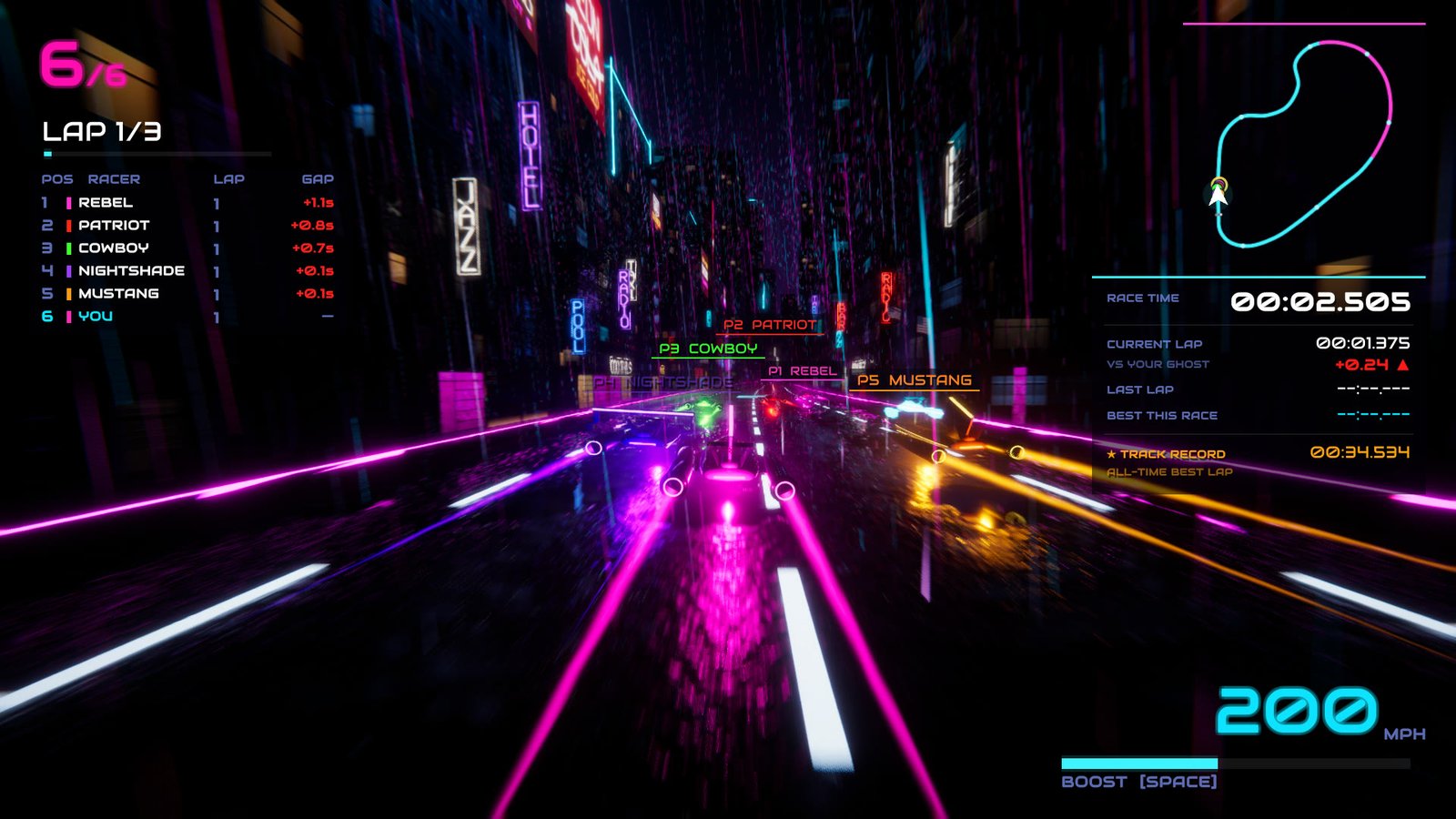
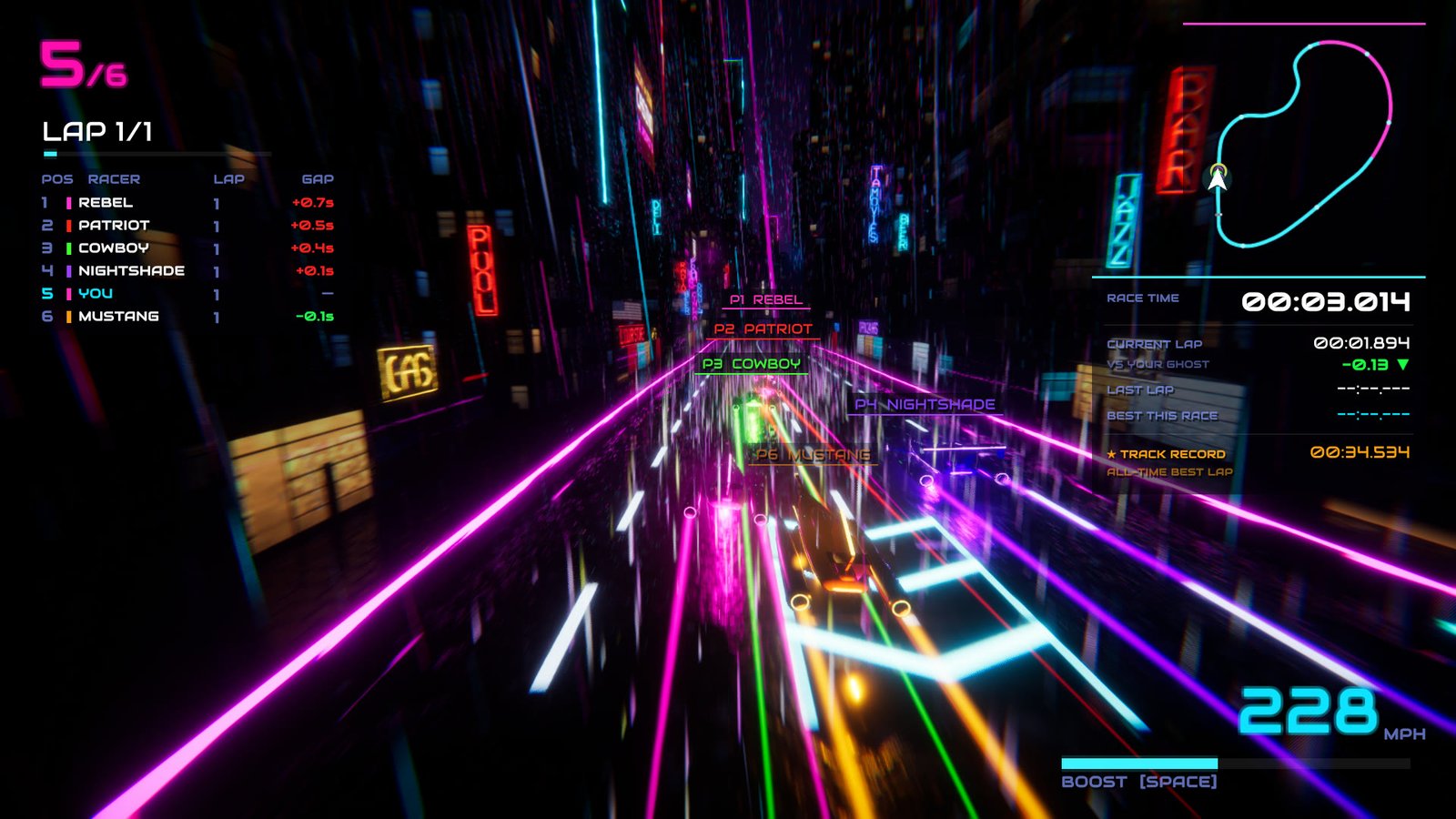

HUD size
100% 115% 130%
Makes the race readouts bigger: speed and boost, your place, the standings, the map and the timing card. Try 115% or 130% on a small screen such as the Steam Deck, or when you play from across the room.
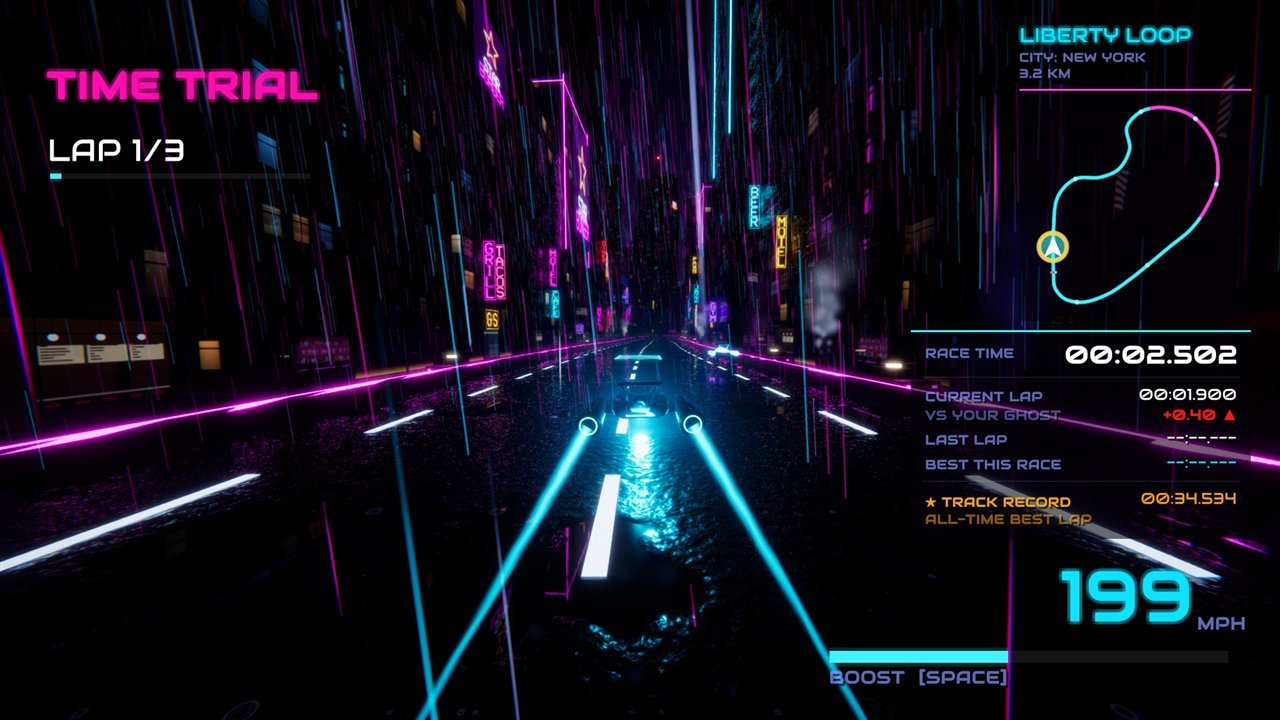
- Opponent difficulty
- Easy Medium Hard
- How hard the rivals drive. Harder rivals take bends closer to the limit, brake later, boost into sharper corners and catch up faster when they fall behind; on Hard the whole field drives at full skill. It applies from the next race, and a win on Hard unlocks Ice White in the Garage.
- Name tags
- On Off
- Each rival ahead carries their place and name in their own color, with NEMESIS over the one who has beaten you most. Turn them off for a cleaner view.
- Camera shake
- On Off
- Knocks, landings and rough ground jolt the view. Off holds it steady.
- Field of view
- −10° −5° Normal +5° +10°
- Wider shows more of the road and the walls on either side; narrower makes your craft bigger on screen. It applies to every race camera.
- Speed widens view
- On Off
- The view stretches wider as you speed up and wider still on boost, for a rush of speed. Off keeps it the same at any speed, which some players find easier on the eyes.
- Vibration
- Off 25% 50% 75% 100%
- How hard the pad rumbles for knocks, landings, rough ground, boost and the starting lights.
- Speed in MPH
- On Off
- Off shows speeds and distances in km/h and kilometers.
Five volumes, each from 0 to 100% in steps of 10, all at 100% to start.
- Master
- Everything at once, on top of the four below.
- Engines
- Your craft's engine and the rivals' around you.
- Rain & ambience
- The rain and each world's background: the surf on the coast, the river, the ice booming on Lake Tahoe.
- Effects
- Knocks and wall scrapes, rivals whooshing past, thunder, and the menus.
- Music
- Four tracks per championship (three off-road), taking turns. It drops out for the countdown and comes back in at GO.
- Window mode
- Windowed Borderless Fullscreen
- Borderless fills the screen at your monitor's own resolution and switches to other windows instantly. Fullscreen takes over the display. Windowed plays in a window you can move.
- Resolution
- Your monitor's
- The sizes your monitor supports. Lower runs faster but looks softer; on an NVIDIA RTX card, DLSS (on the Graphics tab) is the better way to gain speed.
- VSync
- On Off
- Matches the frame rate to your monitor's refresh rate, so the picture never tears. Off lets the frame rate run free.
- Frame rate limit
- Unlimited 30 60 120 144
- A cap on frames per second when VSync is off: a steadier feel, and less heat, fan noise and battery drain on a laptop or a Steam Deck.
Chromatic aberration
On Off
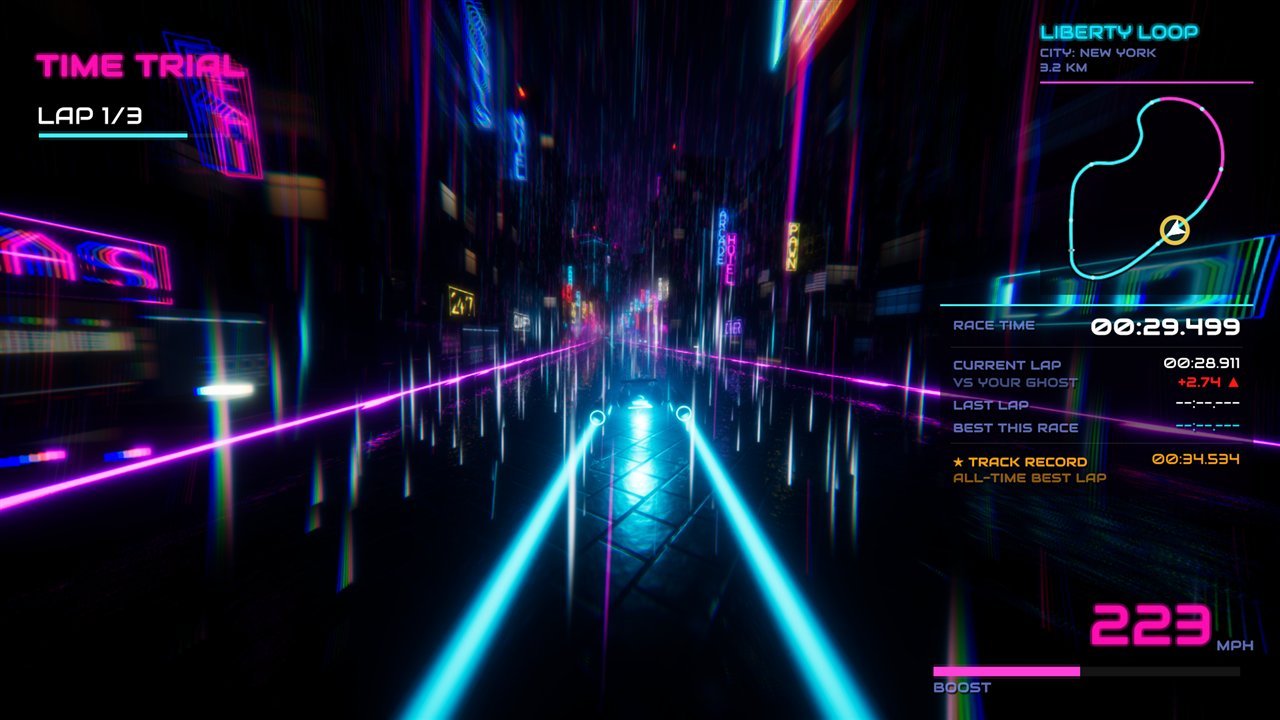
A camera-lens effect: bright lights split into red and blue fringes toward the edges of the screen, strongest when you boost, so speed feels wilder. Turn it off for crisp signs and lines right out to the corners.
Rain density
10% … 100%
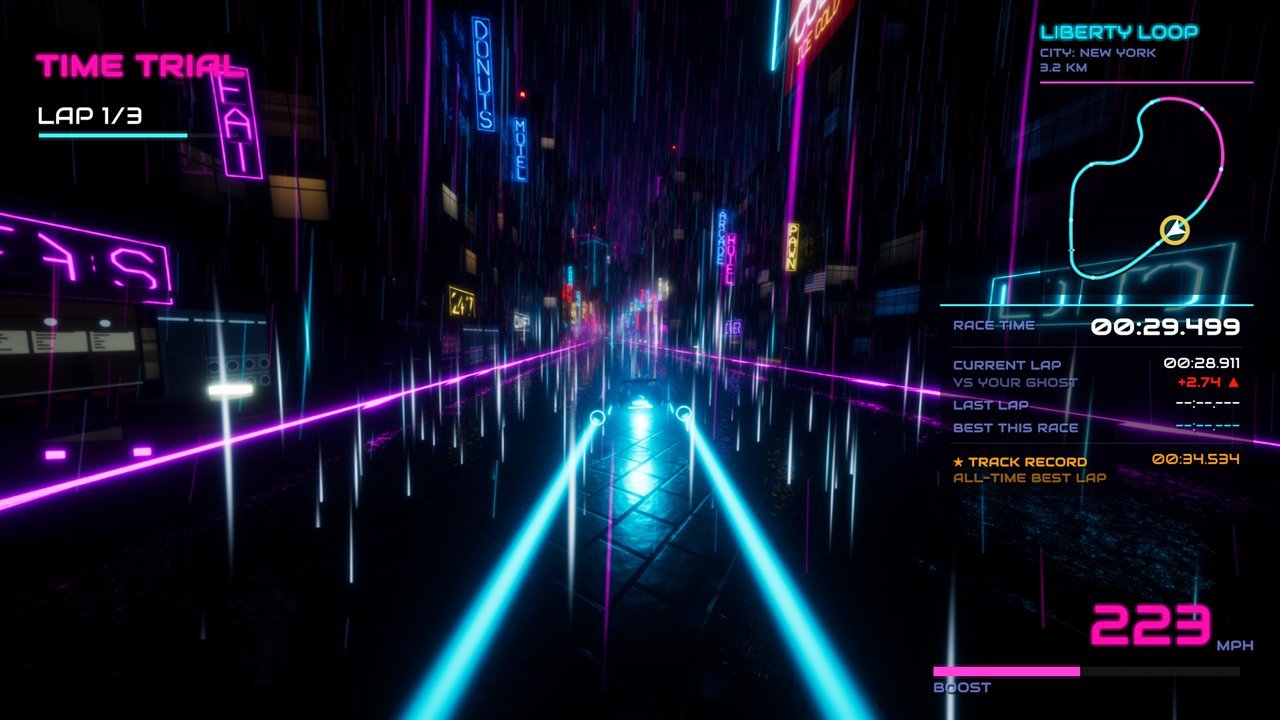
How much rain falls past the camera. It's Neon Rain, so it pours by default; turn it down if the streaks distract you, or to see farther ahead.
- Quality
- Performant Balanced High Fidelity
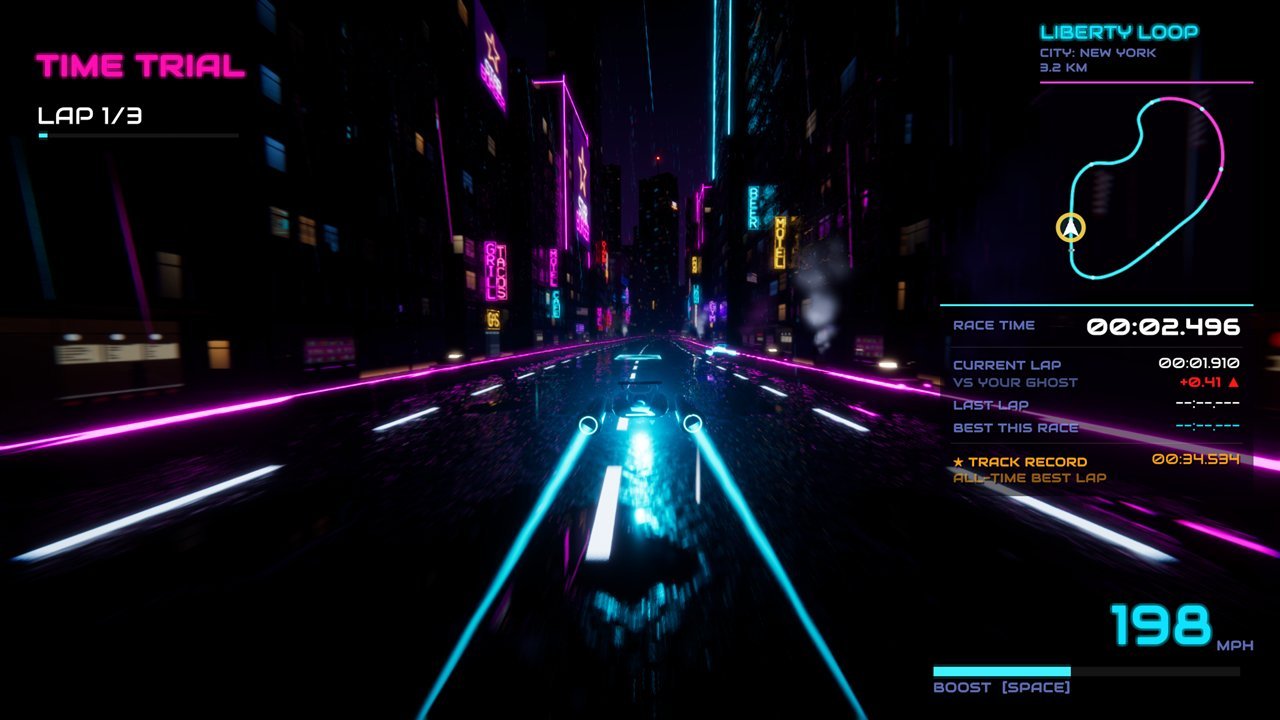
- Shadows, reflections and fog detail. Drop to Performant if the frame rate dips; it's chosen for you on a Steam Deck.
- DLSS upscaling
- On Off
- On an NVIDIA RTX card, draws each frame smaller and upscales it with AI, for a big frame-rate boost at nearly the same sharpness. Other cards ignore it.
- Render scale
- 100% 85% 70% 55%
- Without DLSS, draws each frame at that share of your screen and sharpens it back up with AMD FidelityFX Super Resolution, on any graphics card: lower runs faster but looks softer. A Steam Deck starts at 70%.
- Motion blur
- On Off
- Smears the scenery rushing past at speed. Off keeps every frame sharp.
A row per action, its key beside the pad control, and whether a pad is connected at the top.
- Thrust, brake, steer, airbrakes, boost, respawn, camera
- As in Controls
- Pick an action and press Enter, then the new key (Esc cancels). The arrow keys and Left Shift keep working whatever you choose. The pad's controls are fixed.
- Reset all settings
- Puts every setting on every tab back to the defaults shown here, keys included. Your progress, records and ghosts aren't touched.
- Full game
- Enter key Unlocked Free trial · Buy
- Where you enter the key you bought at neonraingame.com/buy (see Getting started). In the Microsoft Store's copy there's no key: it says Free trial · Buy, and Enter opens the Store to buy the full game, or Unlocked once you have. Steam copies don't need one.
- Send crash reports
- Ask first Always Never
- When something goes wrong, Ask first shows you exactly what would be sent to us and sends it only if you say so. Always sends it without asking; Never sends nothing (it still offers after the game closes unexpectedly). What a report holds is in the privacy policy.
- Send logs to support
- For a problem that isn't a crash: sends the game's recent log and a note from you, after showing you what's in it.
- Look for updates
- On Off
- In the website download, looks at neonraingame.com for a newer version a little after the game starts and every six hours, and says so here and on the title screen. It never downloads anything itself. VERSION below it checks right away, or opens the download page when there's an update.
- Player guide, music credits, privacy policy, license agreement, third-party notices, version
- PLAYER GUIDE opens this page. The music rows say who made the soundtrack, and Enter on the others opens them. The tab is longer than the screen: it scrolls as you move down, or with the mouse wheel.
Settings stay on each PC; your progress, records and ghosts travel with Steam Cloud on Steam.
Troubleshooting and FAQ
Windows says "Windows protected your PC"
That's SmartScreen, which warns about downloads it hasn't seen often yet. The installer is signed by Extra Medium Software Co.; the download page explains how to check that, and the download's fingerprint, before you choose More info › Run anyway.
The game won't start, or runs slowly
Neon Rain needs 64-bit Windows 10 or 11 and a DirectX 12 graphics card (the system requirements have the details). Update your graphics driver first. If it starts but stutters, try Settings › GRAPHICS › QUALITY on Performant, a lower RENDER SCALE, or DLSS on an NVIDIA RTX card. If it won't start at all, run it again: after a crash it offers to send us a report, which is the quickest way for us to find the problem.
My key won't activate
- The PC must be online the first time; after that the game plays offline.
- Type it as it is in your email, or copy it and paste it with Ctrl+V. Dashes and spaces don't matter.
- The line under the settings list says what went wrong. If the key was refunded, it can't be used again.
- Can't find the email? Have it sent again, and check your junk folder.
The full game went back to the trial
Your key is on one PC at a time, so entering it on another PC moves it there, and this one returns to the trial the next time it starts online. Settings › ABOUT › FULL GAME says why. Enter the key again to move it back. Your progress isn't lost either way.
I bought it in the Microsoft Store, but it's still the trial
- Just bought it? UNLOCKING means the Store is still handing over your license. Leave the game open and it unlocks by itself when it arrives.
- Otherwise close the game, check the PC is online and the Microsoft Store app is signed in with the account that bought it, and start the game again. After that it plays offline.
- If the purchase didn't go through, the game says so and you haven't unlocked anything; try again from Settings › ABOUT › FULL GAME.
Where are my progress, ghosts and replays?
In %USERPROFILE%\AppData\LocalLow\Extra Medium Software Co\Neon Rain\: progress.json
(records, qualifying, unlocks and your Garage), ghosts\, replays\, a race you saved to
finish later, and your full-game license. Your settings and key bindings are kept by Windows for your user account.
Photos go to Pictures\Neon Rain and videos to Videos\Neon Rain.
How do I move to a new PC?
Install Neon Rain on the new PC and enter your key there; it moves from the old one. To bring your progress, copy the folder above from the old PC to the same place on the new one before you start the game. On Steam, Steam Cloud brings your progress for you. Settings stay behind, so set them again.
How do I uninstall it, and what does it leave?
Uninstall Neon Rain from Windows' Settings › Apps › Installed apps. It removes the game and keeps your progress, settings and license, so installing it again picks up where you left off. To remove those too, delete the folder above. The Microsoft Store's copy is different: Windows removes its progress with it, unless the website's copy has been on that PC too, when both use the folder above.
How do I update it?
The website download tells you when a new version is out (Settings › ABOUT › VERSION). Download it from the download page and run it over the old one: it keeps your progress, settings and key. Steam and the Microsoft Store update the game themselves.
Online: friends can't join my race
On the same network, the race shows up on their online page. Over the internet, they need the address your lobby shows, and you need to forward UDP port 47380 on your router, or you all join the same VPN such as Tailscale. If the lobby says Windows Firewall is blocking it, choose ALLOW THROUGH FIREWALL. Everyone needs the same version of the game.
My pad isn't working
Plugging in or switching on a pad shows its name and CONNECTED at the top of the screen (XBOX PAD CONNECTED, say), and Settings › CONTROLS says whether one is connected. If nothing shows, try another USB port or pair it again with Windows. In Steam, check the controller settings aren't remapping it.
How do I send logs to support?
Settings › ABOUT › SEND LOGS TO SUPPORT. Add a note saying what happened (and an email
address if you'd like a reply); you see what's sent before it goes. If the game won't start, the log is
Player.log in the folder above, and you can attach it when you contact us.
Still stuck?
Contact us and tell us what happened, with your version (on Settings › ABOUT) and, if you can, the log.